Where it started
The Human Token had proven something important. When health data is presented with enough care and depth, people engage with it in a way they never do with a standard lab report. But the Human Token was also high-commitment. A comprehensive four-layer assessment, a physical book, a price point that reflected the depth of the experience. It was built for a specific kind of person who was ready to go all in.
Baseline was the answer to a different question. What if someone wanted to start with just a blood test and build from there? What if the door to Deep Holistics did not have to be the full four-layer assessment? The core insight was that blood is the fastest signal. Results in 48 hours. Interventions started the same week. Gene and gut testing could follow as optional layers once the user was already in the ecosystem.
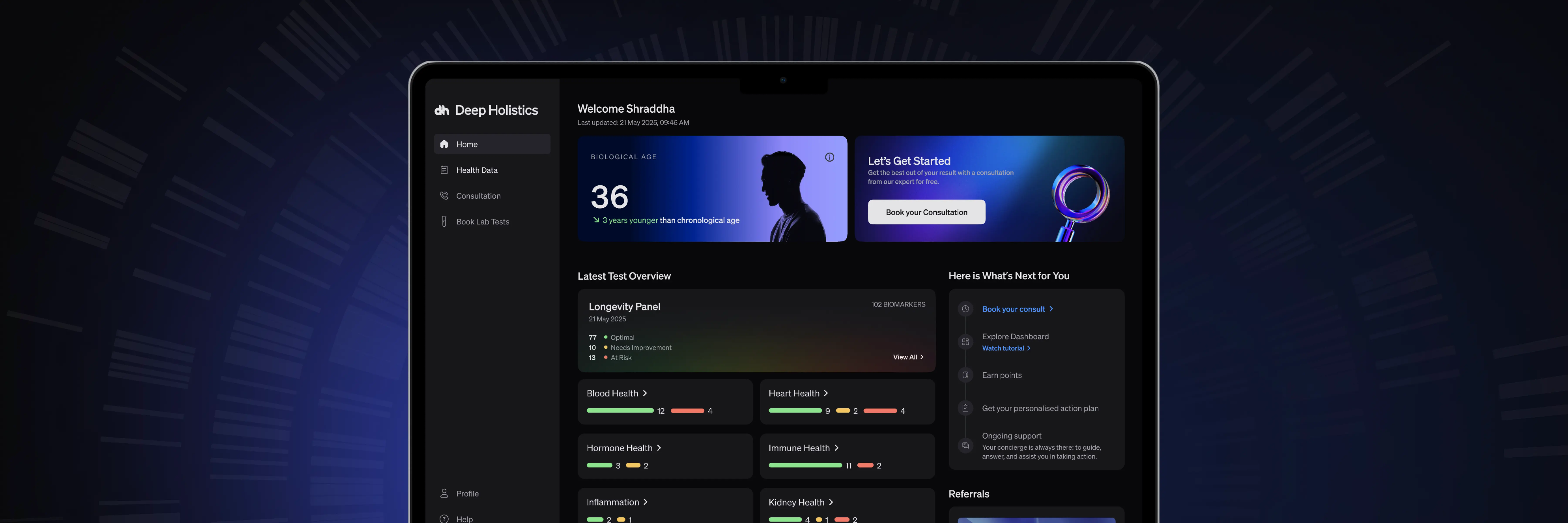
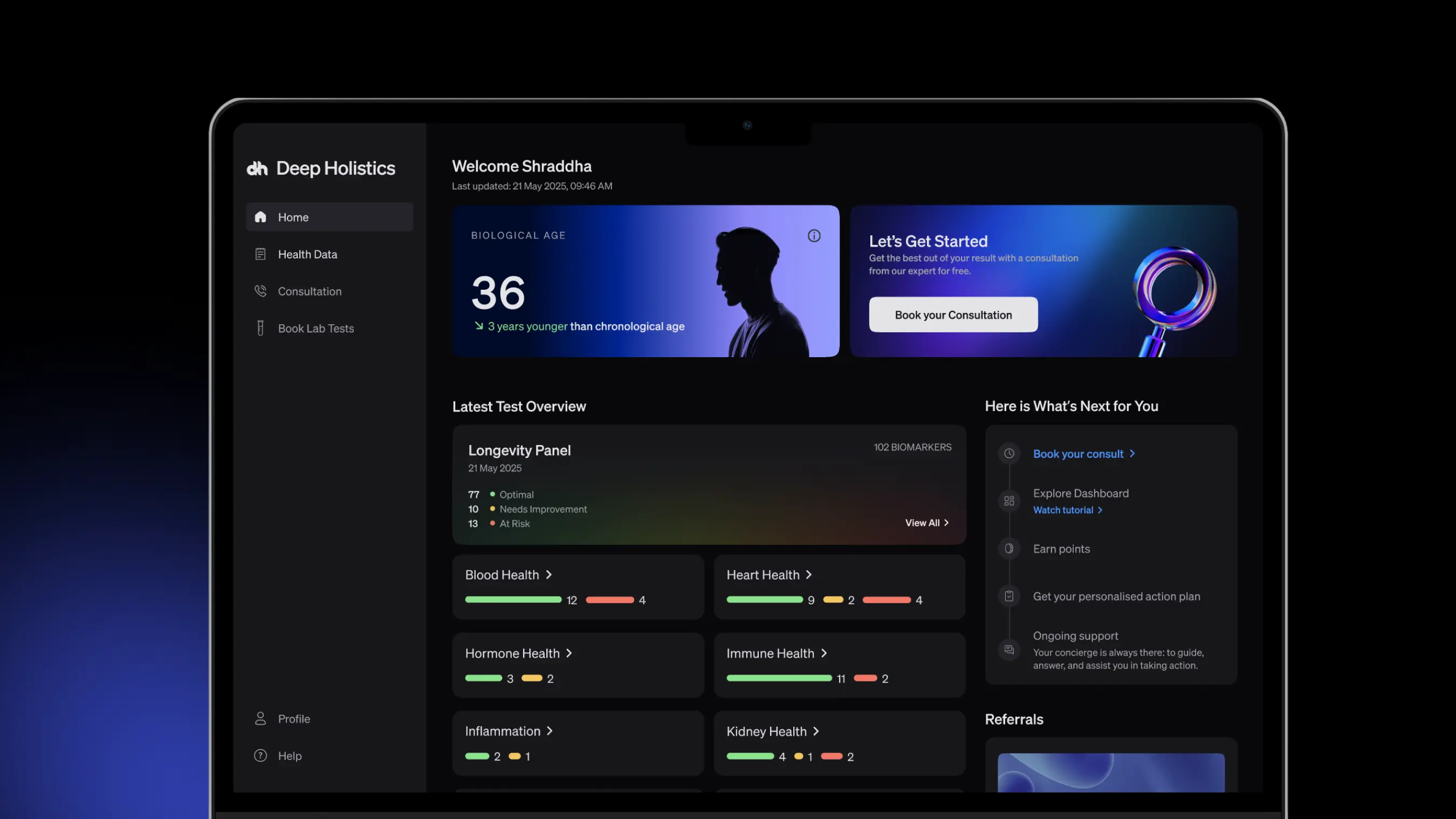
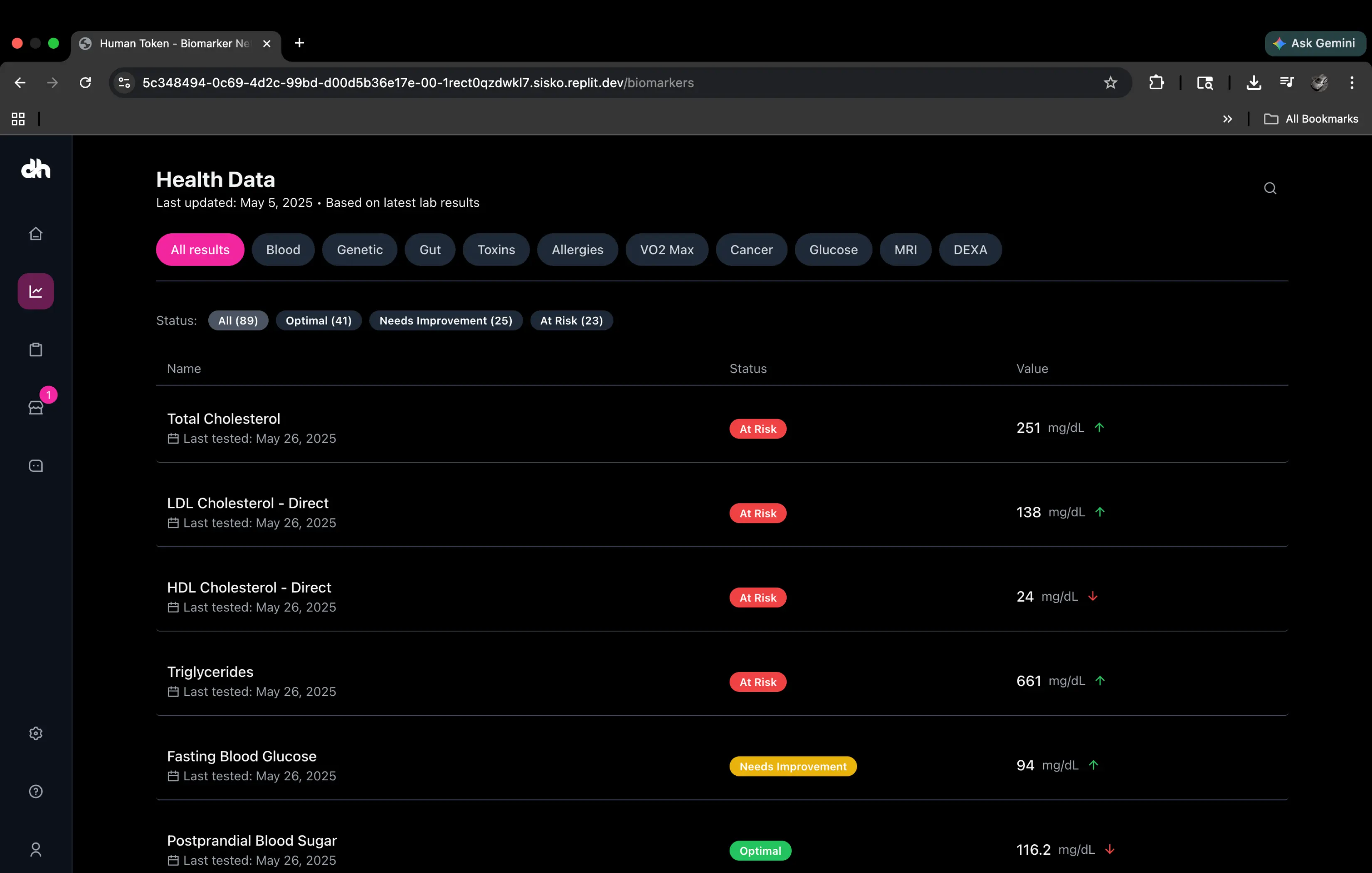
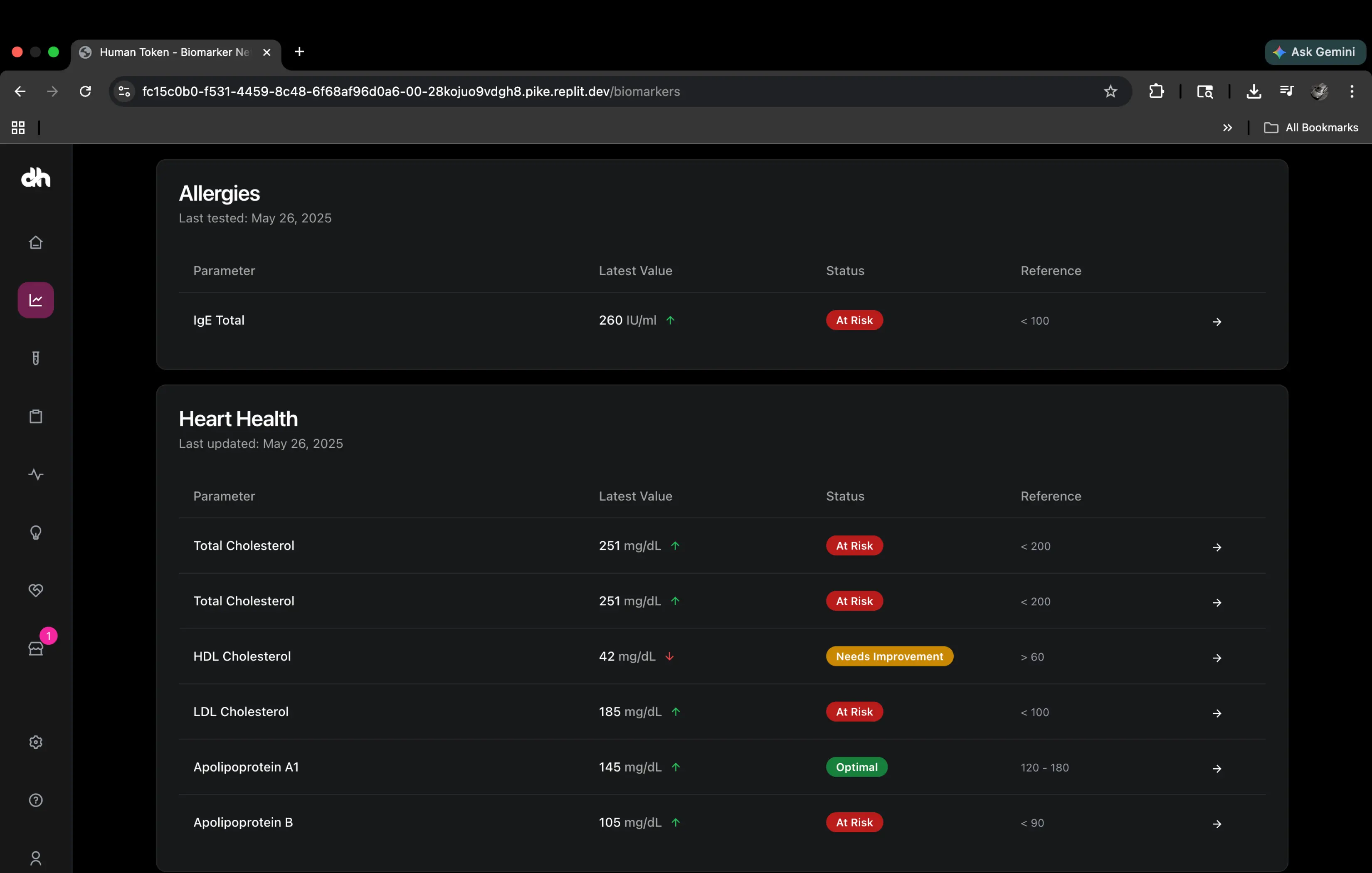
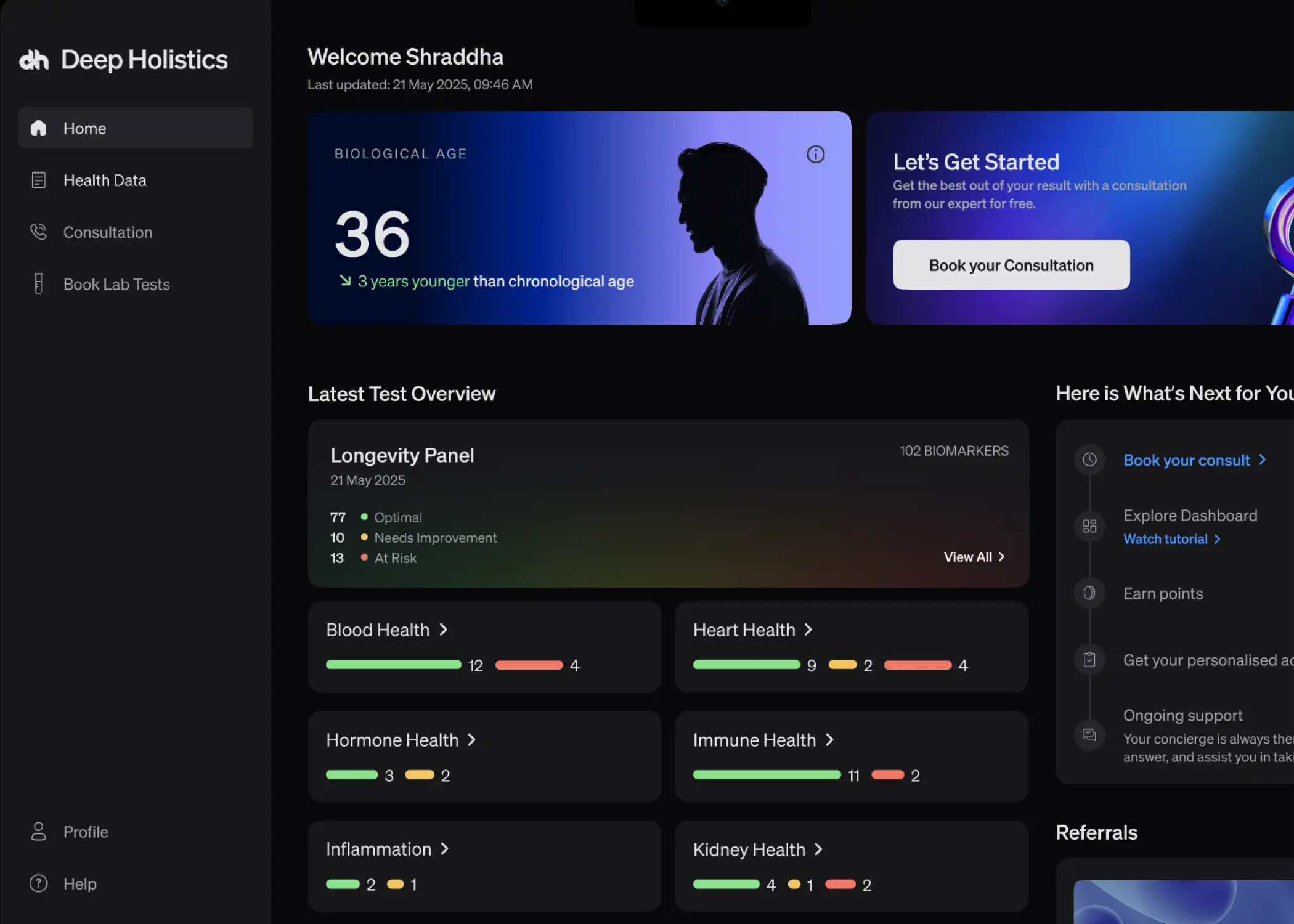
The dashboard itself was a digital version of the Human Token, modularised. Test reports organised by body system. Each biomarker explained, its impact visible, its trend trackable across multiple tests. Data categorised across blood, gene, gut, and wearable layers. One of India's largest portfolios of add-on tests available to book directly. Deep-dive consultations with nutritionists and fitness experts. An action plan reviewed and recommended by longevity experts. Symptom reporting with biomarker correlations surfaced automatically. Everything the Human Token delivered in a physical book, now navigable, living, and updating with each new test.
Modular by design. The Human Token made accessible. The challenge was building a dashboard that could hold this experience, and building it fast enough to test whether the model worked.
What building with AI actually looked like
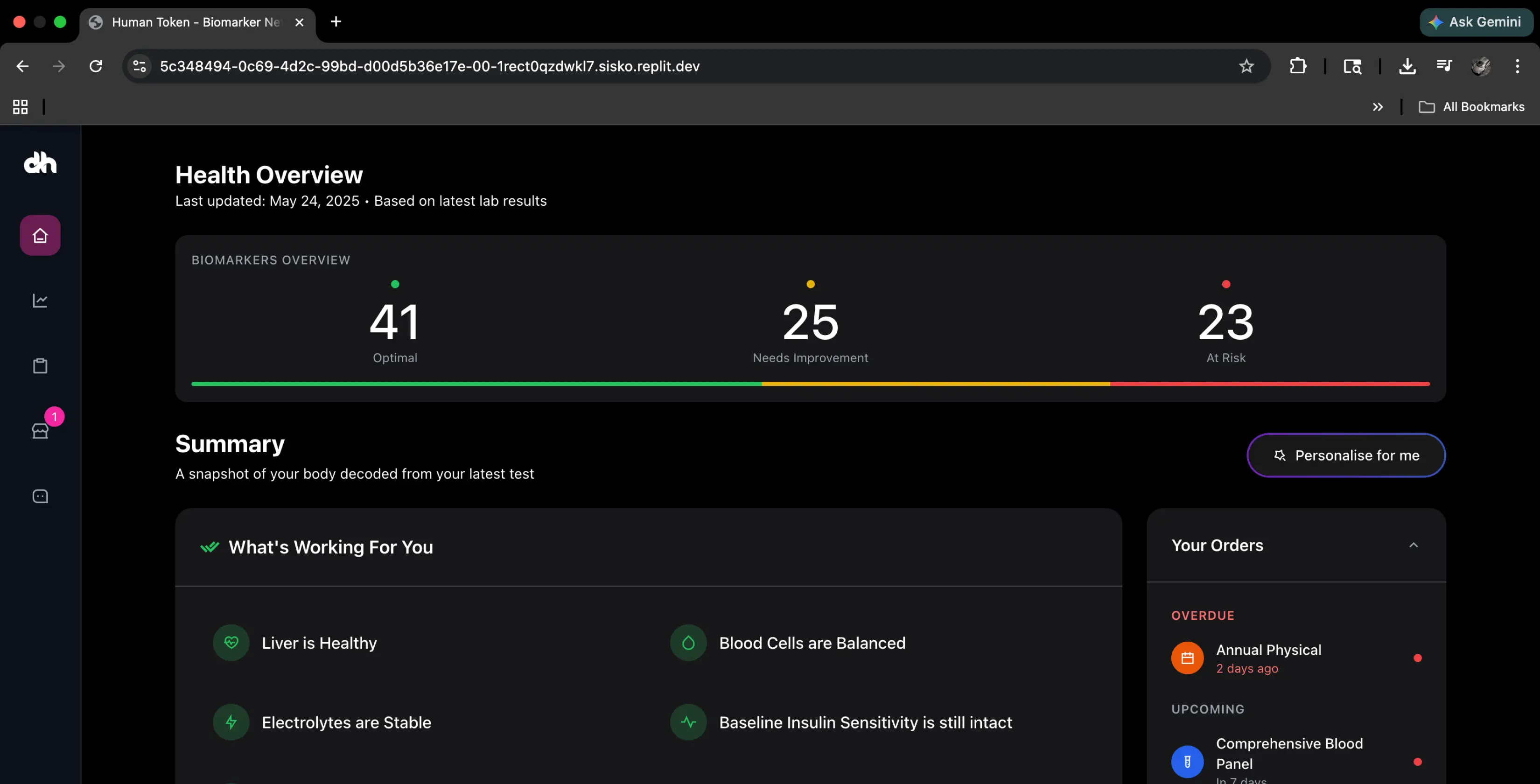
We started prototyping with AI tools immediately. The first version of the MVP was built in a week. It was rough and it worked well enough to show us what we were building toward. Then we hit the problems that anyone building with AI-generated code eventually hits.
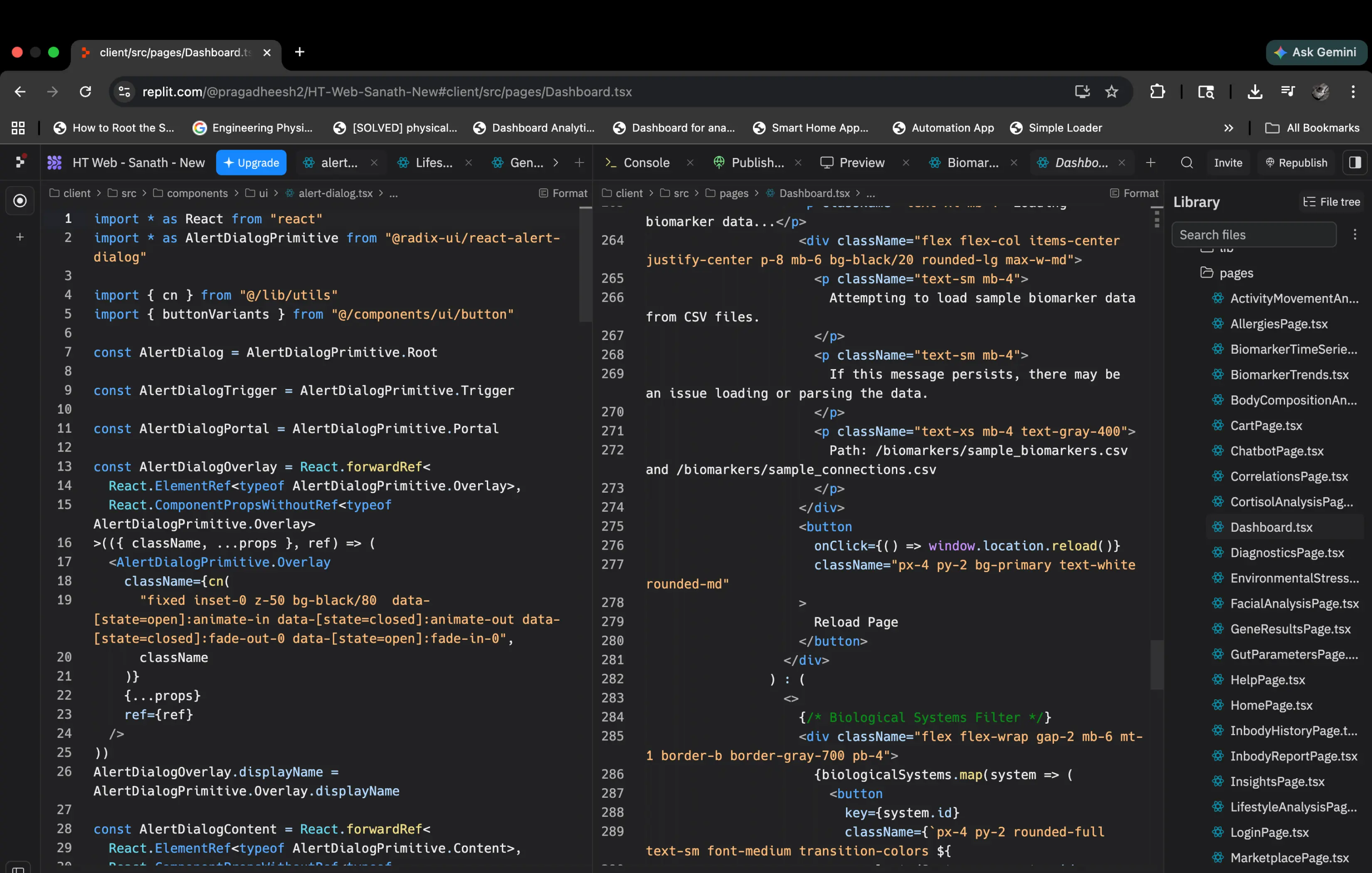
The same button, reused across a dozen screens, was hard-coded as a different element in each place. Components were inconsistent. Changing one thing broke three others. The code that AI generated was fast but it was not structured. It was not built to be maintained or scaled. At the rate we were moving, this would become a serious problem.
Rather than push through and accumulate debt, we stopped at the end of week one and built a component library. Having both a developer and design background meant I could see where this was heading before it became a serious problem. Unstructured AI-generated code accumulates complexity quietly. By the time most teams notice it, they are already buried in it. Stopping felt counterintuitive when we had momentum. It was the right call.
Building a component system
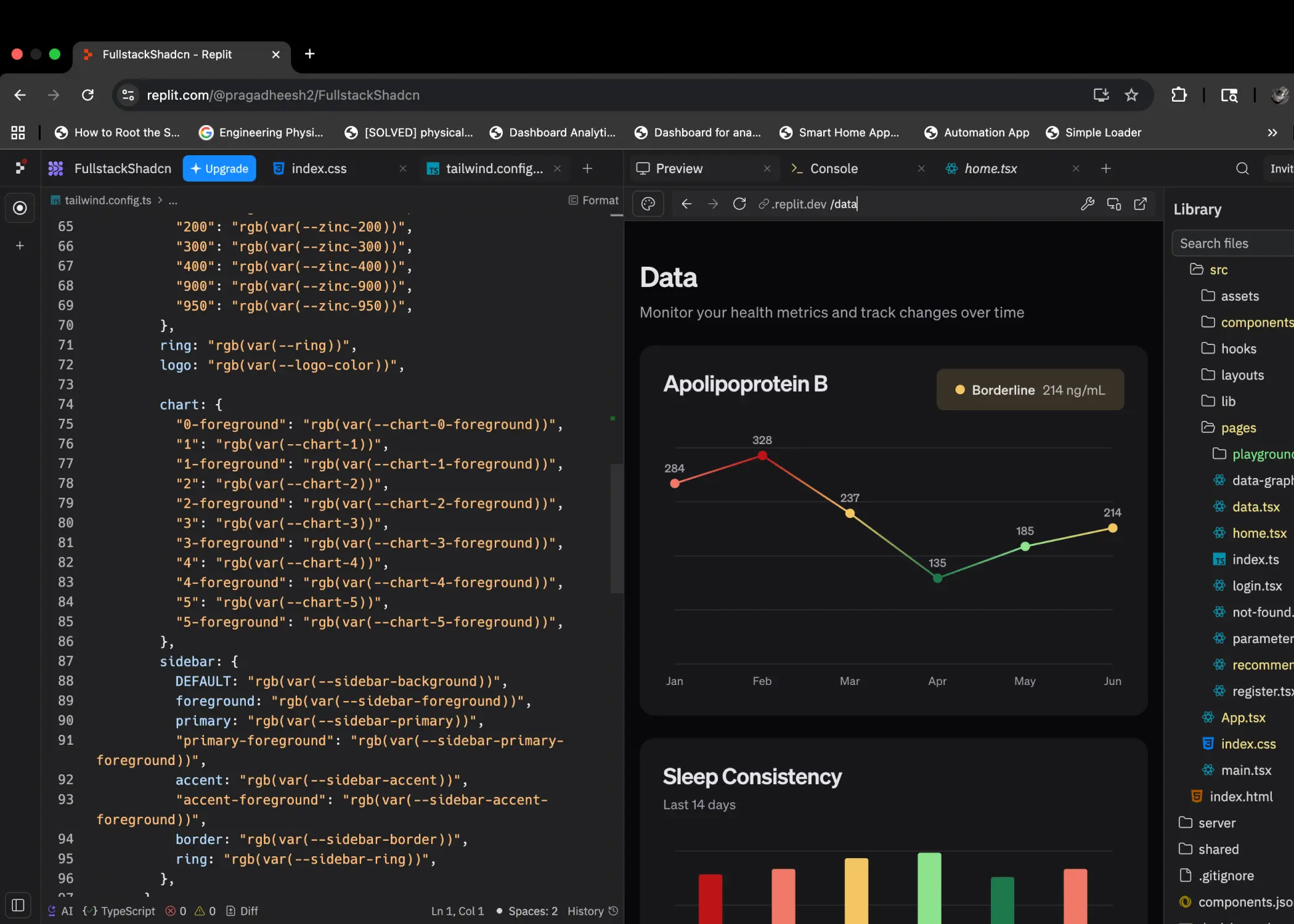
The answer was to stop treating AI as the builder and start treating it as the executor. The component library was how we gave it something to execute against. Instead of letting it invent the structure of every element on every screen, we built the structure once and forced everything else to conform to it.
The library gave both the product team and the development team a shared set of standardised UI elements to build from, a single source of truth that everything else would conform to. By week four, the library was in place, the processes had settled, and we were shipping cleanly.
The workflow
The component library created a unified development experience. It meant AI-generated code and developer-written code had the same building blocks. Changes propagated everywhere. Nothing was hard-coded. The chaos became a system.
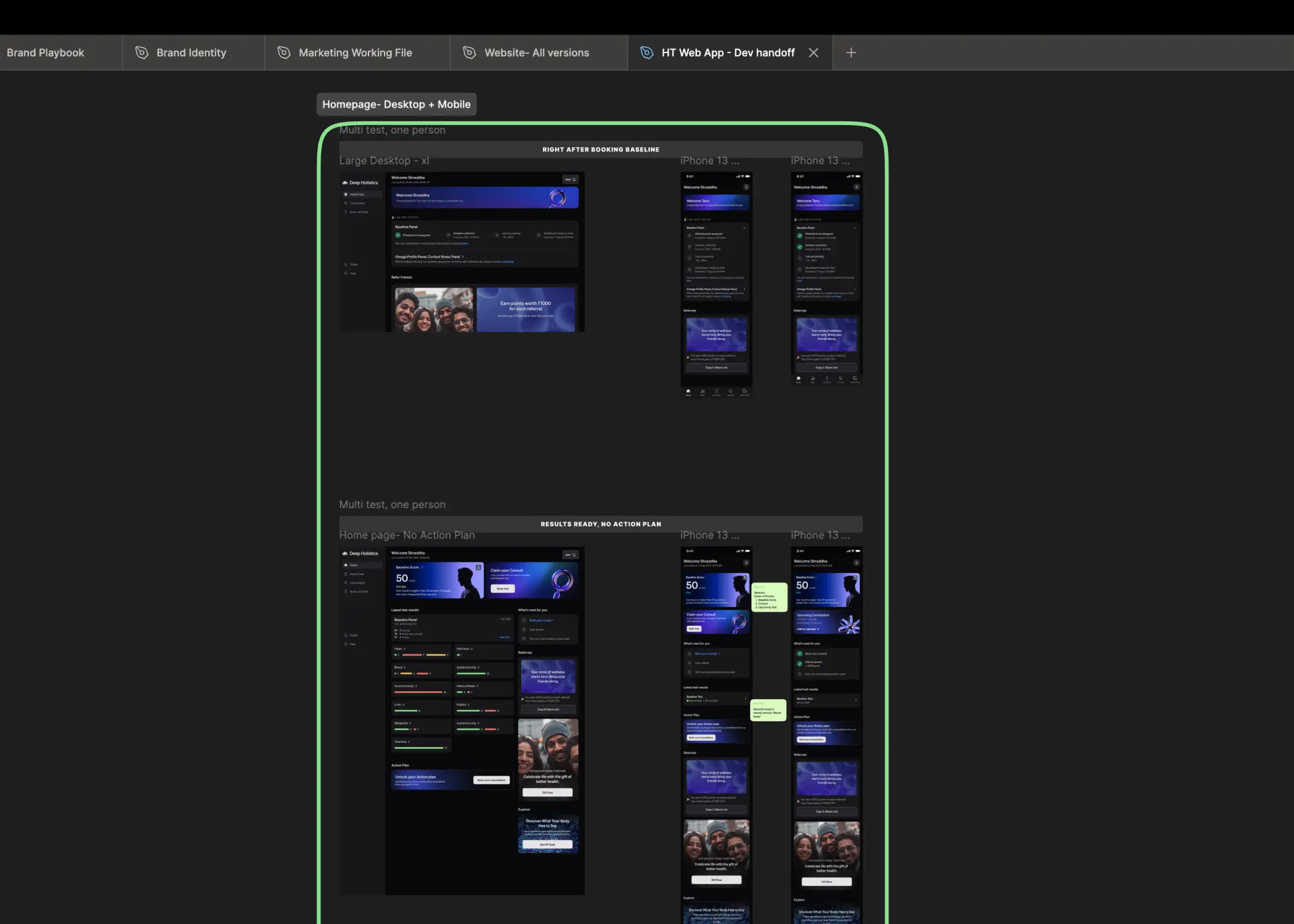
The second major workflow change was integrating Figma directly with Replit. Both tools had launched MCP integrations around the same time. Screens that required complex logic or strategic design decisions were built in Figma first. The rest were prototyped directly in Replit. The Figma-to-Replit pipeline meant developers were not just receiving static screens at handoff. They were seeing the design process itself, the decisions, the iterations, the reasoning behind each screen. That context changed the quality of what they built. It also removed most of the overhead of the traditional handoff process entirely.
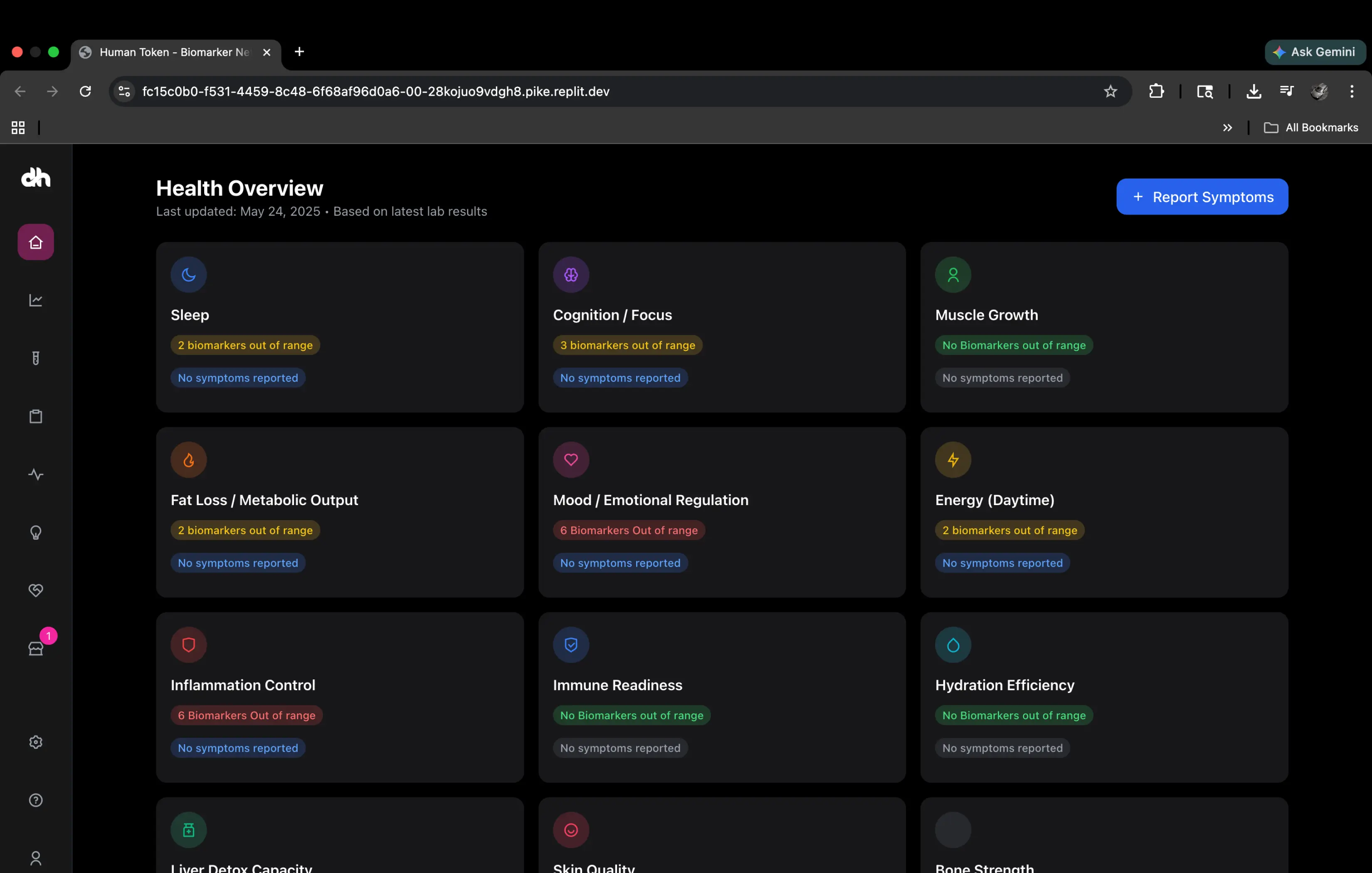
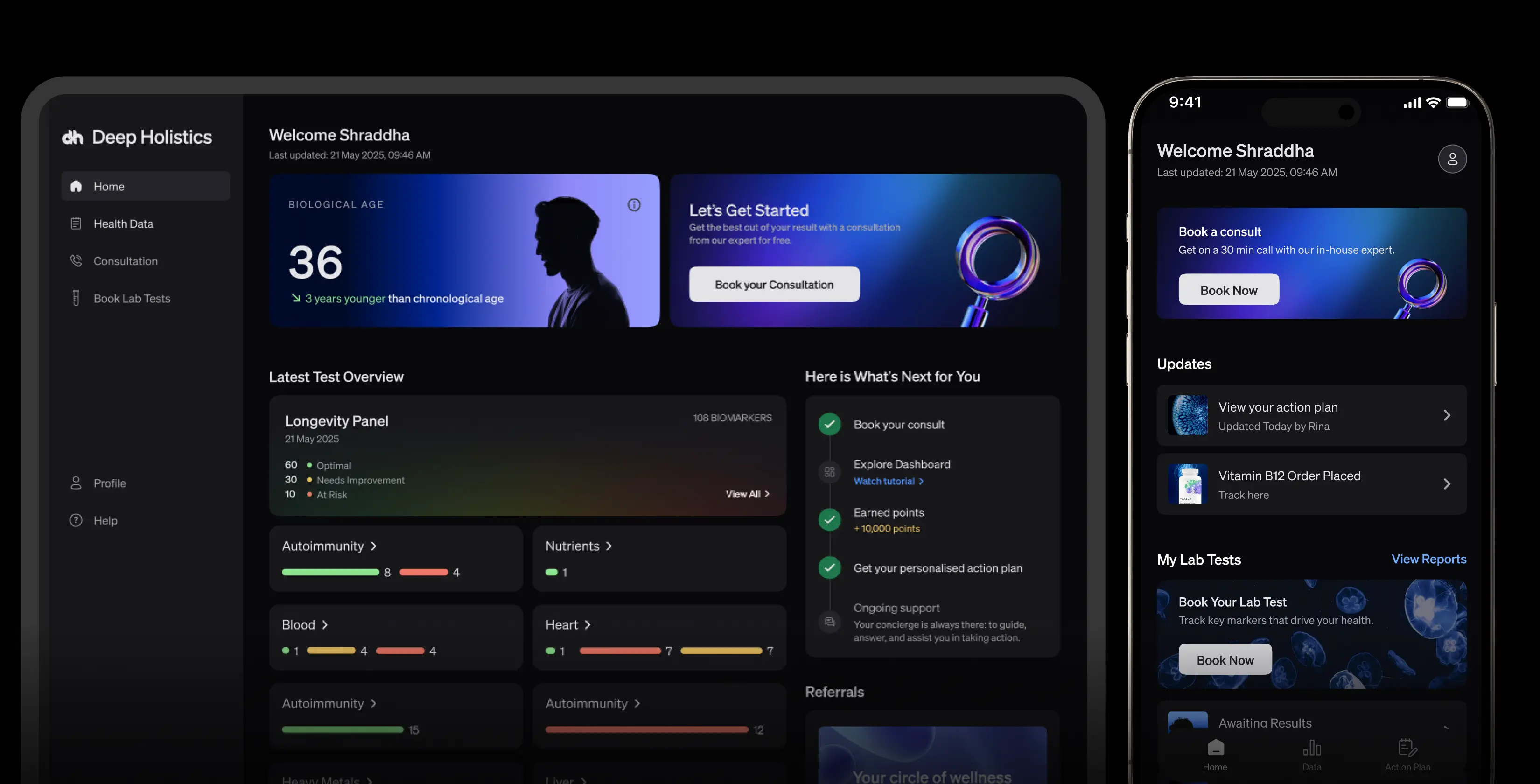
The result was a fully responsive dashboard, web and mobile, shipped to production in approximately six weeks. Biological age front and centre. Biomarker panels organised by system. An action plan surfaced by the health concierge. Lab test booking built in. The full Baseline experience, live.
Design thinking meets the speed of AI
The Figma-to-Replit integration was more than a workflow shortcut. It became the bridge between two things that usually pull against each other: the human judgment required to make design decisions and the raw speed at which AI can execute them.
Before this, design and engineering had a handoff problem. Designers made decisions in isolation, developers interpreted them at distance, and the reasoning behind each screen rarely made it into the build. Context was lost every time a file changed hands. The integration collapsed that gap entirely. Designers were not handing off static screens. They were handing off thinking. The decisions, the iterations, the reasoning were all visible in real time. Engineering was not guessing what a component should do. It already knew.
What this created was a single continuous process. Design thinking, which is inherently slow and deliberate, sat at the front. AI execution, which is inherently fast and literal, sat at the back. The component library was the connective tissue between them. It meant AI could move fast without breaking the design intent. It meant design could iterate without losing engineering progress. Neither had to wait for the other.
The real output
The six weeks produced a dashboard. But the more durable output was a way of working where design judgment and AI speed operated as one system rather than two separate disciplines.
The final product was fully responsive across web and mobile. The mobile adaptation was not an afterthought. Because the component system was built with responsive behaviour from the start, mobile was part of every decision rather than a separate pass at the end. Every screen scaled cleanly. Every interaction adapted too.
What this changed about how we build
The Baseline dashboard was the first product we built where AI was not a shortcut. It was infrastructure. The component library meant AI-generated code had a structure to conform to. The Figma integration meant design decisions were visible to everyone touching the product. The workflows we built around these tools were the real output of the six weeks, not just the dashboard itself.
The lesson was not that AI makes building faster. It does, but speed without structure creates more problems than it solves. The lesson was that the value of AI in a product development process is proportional to how well you constrain it. Give it structure, give it context, give it a component library to work within, and it becomes genuinely powerful. Leave it unconstrained and you spend your time fixing what it broke.
We built Baseline in six weeks. But we built the way we build it in four. Every product we ship now starts with the same question: what is the structure we need before we start moving fast? That is the part worth keeping.